Website maintenance is the ongoing work that keeps a site secure, up to date and recoverable. The cost depends on how complex the site is, how often it changes, and how quickly you need problems fixed.
A website is not finished at launch. Software needs updates, certificates and domains renew, content ages, and sooner or later something breaks. Maintenance is the routine that deals with all of this before it becomes an outage.
This guide explains what a maintenance plan usually covers, what makes it cost more or less, and what to ask when you compare options. It gives no price list, because any honest figure depends on your site.
1. How complex the site is
A small information site has fewer moving parts than an online store, a membership platform or a custom application. More features, more plugins and more integrations mean more to update, test and monitor. Sites that take payments or bookings also need their key journeys checked more often.
2. Updates and compatibility
The platform, themes, plugins, libraries and the server software a site runs on all receive updates, many of them security fixes. Applying them safely means reading release notes, testing important changes before they reach the live site where possible, and having a way to roll back. Skipping updates saves effort for a while and increases risk.
3. Backups and recovery
A backup is only useful if it can be restored. Good maintenance includes regular backups of files and databases, stored separately from the live hosting, with the recovery process tested from time to time. The more often the content changes, the more often backups are needed.
4. Security and monitoring
This covers access control — who can log in and with what permissions — strong passwords and extra sign-in checks where available, HTTPS and certificate renewals, and watching for outages, errors or unusual activity. No website can be promised to be completely risk-free; the aim is to reduce avoidable risk and recover quickly when something goes wrong.
5. Hosting, domain and certificates
Hosting, the domain name, the security certificate and business email are usually separate services with their own renewal dates. Make sure you know who owns each account, when each one renews, and where the reminders are sent. Missed renewals are one of the most avoidable causes of a site going offline.
6. Content changes and small improvements
Updating opening hours, adding a page, changing a price or publishing an article is also maintenance work. Plans differ in how much of this is included, so ask whether content edits are covered or charged separately.
7. Performance and checks
Sites slow down over time as images, scripts and third-party tools accumulate. Periodic checks of speed, broken links, forms and key journeys catch problems before customers do.
8. Response time and support
How quickly will someone respond when something breaks, and during what hours? A plan that fixes urgent problems quickly asks for more commitment than one that responds within a few working days. Choose what matches the cost to your business of the site being unavailable.
What to ask when you compare plans
Plans with the same name can include very different things. Ask:
- What exactly is included each month, and what is charged separately?
- Which updates are applied, and how are they tested?
- How often are backups taken, where are they stored, and has restoring one been tested?
- Who owns the domain, hosting and administrator accounts?
- How are urgent problems handled, and how fast is the response?
- Are content changes included, and how many?
- How will you be told about the work that was done?
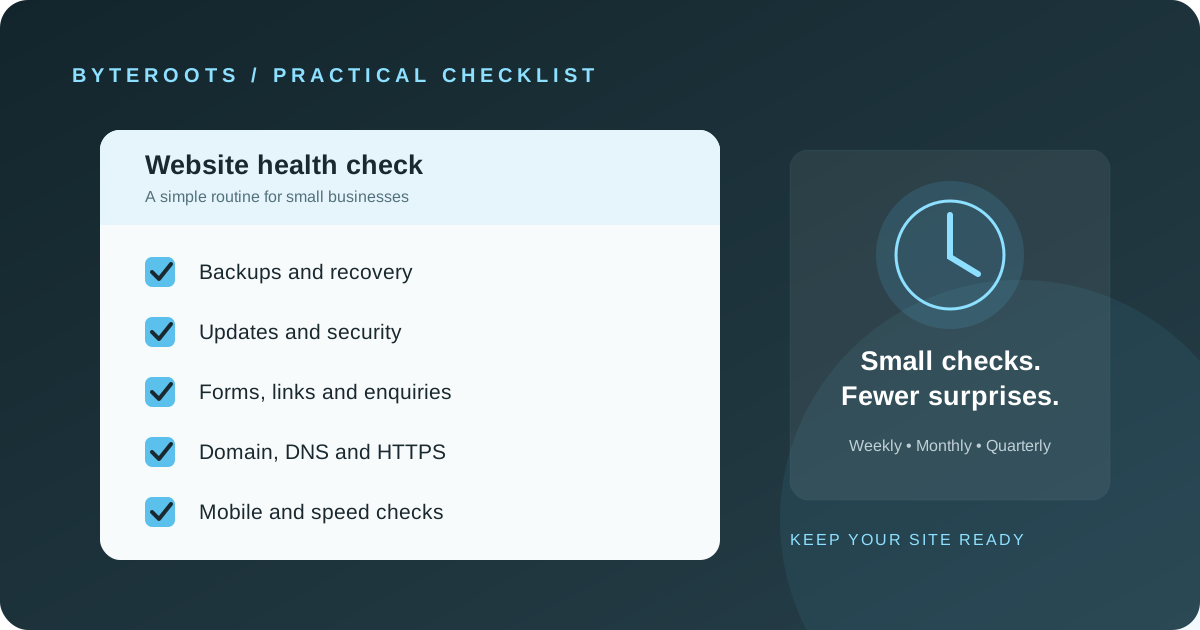
Clear responsibilities are more useful than a vague promise that a website is “fully maintained”. For a practical routine you can follow yourself, see our website maintenance checklist for small businesses.
How ByteRoots approaches it
At ByteRoots, our journey doesn’t end with delivery. We offer ongoing IT support and maintenance to ensure your digital products remain secure, up to date, and perform optimally. You deal only with ByteRoots. To talk about support for your website, you can contact us or read about our IT support and website maintenance service.
Foundations before acceleration.