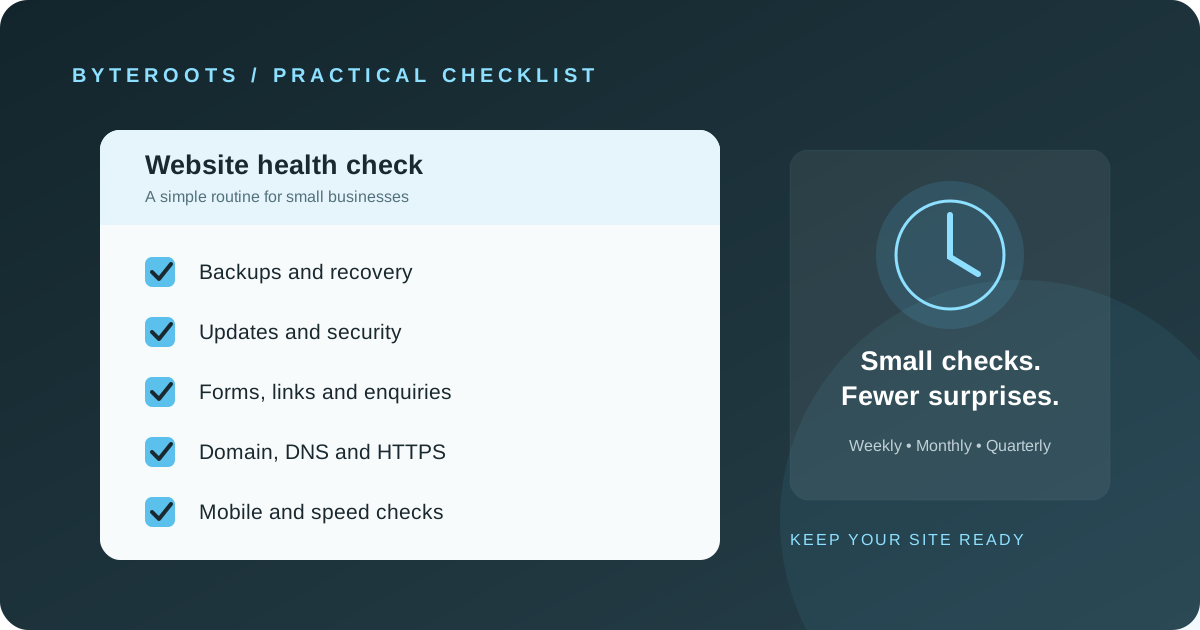
Website care is easier when it is planned. A short, repeatable checklist helps protect the customer experience and reduces avoidable surprises.
Launching a website is not the end of the work. Content changes, software needs updates, forms can stop sending messages, domains and certificates renew, and backups need to remain usable. For a small business, a little routine maintenance can prevent a small issue from turning into a missed enquiry or a long outage.
The right schedule depends on the platform, complexity and business risk. An informational site and an online store do not need identical checks. Use this guide as a starting point, then adapt it to the systems your website actually uses.
After every meaningful website change
- Check the updated page on a phone and a desktop-sized screen.
- Test important links, navigation, buttons and forms affected by the change.
- Look for missing images, layout problems and obvious console or loading errors.
- Confirm the change has not unintentionally altered key titles, descriptions or page URLs.
Weekly: check the things customers depend on
For a business that relies on online enquiries or transactions, check the most important customer journeys regularly. Submit a test enquiry using a controlled test address, confirm the expected notification arrives, and make sure the message is recorded or routed to the right person.
Review the homepage and high-value service or product pages for obvious display problems. If the site processes orders, bookings or payments, include those workflows in an appropriate test process without creating real customer transactions or unnecessary charges.
Monthly: review software, access and reliability
Updates and compatibility
Check for supported updates to the content management system, themes, plugins, libraries and server runtime where applicable. Read release notes and test important changes in a staging environment when one is available. Avoid blindly applying updates to a critical production site without a rollback plan.
Accounts and permissions
Review who has administrative access to hosting, the website, domain registrar, analytics and related services. Remove access that is no longer needed, use unique passwords and multi-factor authentication where available, and keep recovery methods current.
Forms, links and content
Check contact details, business hours, service descriptions, pricing references and other information that can become outdated. Test key forms and inspect the most important internal and external links. Replace broken links and remove obsolete offers or announcements.
Performance and errors
Review page speed and any available error logs or uptime reports. New images, embedded widgets and third-party scripts can slow a site over time. Investigate repeated errors rather than assuming a page is fine because it loads on your own device.
Backups: make sure recovery is possible
Confirm that backups cover the parts of the site you need to recover, which may include files, database content, uploaded media and configuration. Store copies separately from the live hosting account where practical, protect access to them, and understand how long they are retained.
A backup is only useful if it can be restored. Periodically test the recovery process in a safe environment and document who is responsible for it. Choose backup frequency and retention based on how much data the business can afford to lose and how quickly it needs to recover.
Keep the domain and certificate under control
Know who controls the domain registrar and DNS settings, when renewals are due, and which account receives renewal notices. Keep payment and recovery information current. Confirm HTTPS works and that certificate renewals are handled automatically or monitored by someone responsible.
Domain and DNS changes can affect email as well as the website. Record important settings and avoid changing records without understanding which services depend on them.
Quarterly: review the website as a business tool
Every few months, review whether the site still reflects the business. Check service pages, staff or contact information, testimonials and project examples for accuracy and permission to publish. Review analytics or enquiry patterns in context, and identify pages where visitors struggle to find information or complete an action.
It is also a good time to review accessibility basics: heading structure, image alternative text, colour contrast, keyboard navigation and form labels. If the website has changed significantly, consider a more thorough usability and performance review.
A simple maintenance schedule
- Weekly, for business-critical sites: test key forms and customer journeys; check for obvious outages.
- Monthly: review updates, user access, important links, content accuracy and performance signals.
- Quarterly: review backups and recovery readiness, business content, accessibility basics and analytics.
- After major changes: test affected pages, forms, integrations and mobile layouts.
This is a baseline, not a universal rule. A store, membership platform or application with frequent transactions may need automated monitoring and more frequent checks. A small brochure site may need a lighter schedule, provided its critical functions are still tested.
Know who is responsible
Write down who handles updates, backups, incident response, domain renewals, form delivery and content changes. Keep the business in control of its domain and essential accounts, and make sure there is a clear path to get help if the person maintaining the site becomes unavailable.
If maintenance is outsourced, agree on what is included, how urgent issues are handled, how backups and access are managed, and how the business receives updates about completed work. Clear responsibilities are more useful than vague promises that a website is “fully maintained.”
The takeaway
Good maintenance is not about changing things constantly. It is about checking the parts that matter, keeping software and access under control, protecting data, and making sure customers can still do what they came to do.
Start with the checklist, assign an owner, and adjust the cadence to match the website’s real-world importance and risk.
Foundations before acceleration.